Introduction:
In today’s era, it is not enough to just know where your vehicle is at the moment. If you have multiple vehicles, a business fleet, delivery vehicles or company vehicles travel to different cities, then you should also know where the vehicle entered, where it left, how long it was there and whether it is being used within the specified area or not.
This requirement makes Geofencing an important feature of GPS Tracking.
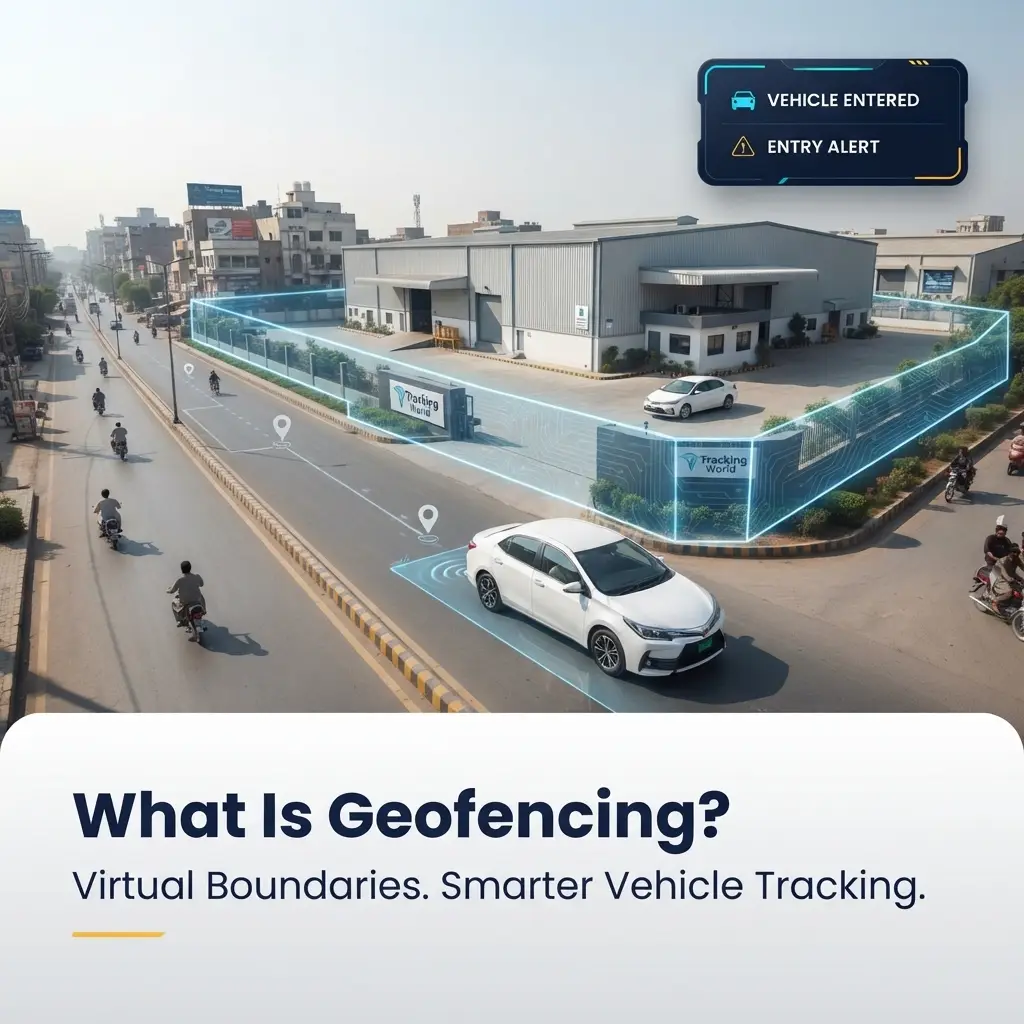
In simple words, Geofencing is a technology through which a Virtual Boundary is created around a specific geographical area. When a GPS-connected vehicle enters or exits this boundary, the Tracking System can give a notification or alert to the relevant user.
For example, if a company’s warehouse is in Lahore, the Fleet Manager can create a Geofence around this warehouse. When the company’s vehicle enters the warehouse, the system can record the entry, and when the vehicle leaves, an exit alert can also be generated.
This reduces the need for management to call drivers or rely on manual reports all the time.
In Pakistan, where Vehicle Security, Driver Monitoring, Fuel Costs, Unauthorized Vehicle Usage and Fleet Management are major challenges for businesses, Geofencing can become a practical monitoring tool.
In this comprehensive guide, we will understand what Geofencing is, how it works in GPS Tracking, what are its key benefits, how businesses can use it, and why Geofencing is becoming important for Fleet Management in Pakistan.
What is Geofencing?
Geofencing is basically a Virtual Geographic Boundary.
It is not a physical wall or security gate, but a boundary created digitally in a GPS Mapping System.
You can select a specific location and create a virtual area around it.
This area can be created in various shapes, for example:
• Circle
• Polygon
• Custom Geographic Area
• Road-based Area
When a vehicle with a GPS Tracking Device approaches this defined area, the system compares the vehicle’s location with the Geofence.
If the vehicle leaves the boundary, a Geofence Exit event may be generated.
This information can be delivered to the user through a Web Portal, Mobile App, SMS, Email or other supported notification channels.
How does Geofencing work in GPS Tracking?
To understand Geofencing, it is first necessary to understand the basic process of GPS Tracking.
A GPS Tracking Device is installed in a vehicle.
This device determines the location of the vehicle with the help of satellite signals and transmits the location data to the Tracking Platform or server through the available mobile network.
Now, if a Geofence is created for a specific location in the Web Portal, the system keeps comparing the vehicle’s current GPS coordinates with this virtual boundary.
If the vehicle enters the boundary:
Entry Event
If the vehicle exits the boundary:
Exit Event
Based on this information, automated alerts and reports can be generated.
That is, the main purpose of Geofencing is not just to see the location of the vehicle, but to connect the location with predefined rules.
A simple example of Geofencing
Suppose a Distribution Company has a warehouse in Karachi.
The company has created a 500-meter Geofence around the warehouse.
Now the company’s delivery vehicle is approaching the warehouse.
As soon as the vehicle enters the Geofence, the system can generate a notification:
Vehicle Entered Warehouse Area
Later when the vehicle exits the warehouse, an alert of:
Vehicle Exited Warehouse Area
may come.
Fleet Manager does not need to manually call the Driver to ask:
“Have you reached the warehouse?”
The system can record the movement itself.
This is the practical value of Geofencing.
What is the difference between Geofencing and GPS Tracking?
These two technologies are connected to each other but are not the same.
GPS Tracking basically tracks the location and movement of the vehicle.
While Geofencing uses the same location data with predefined geographic rules.
For example, GPS Tracking can tell:
The vehicle is present at a specific location in Lahore.
Geofencing can further tell:
The vehicle has entered the defined area of the company warehouse in Lahore.
Therefore, Geofencing can be considered an advanced monitoring feature of GPS Tracking.
Why is Geofencing necessary?
In a large fleet, it becomes difficult to manually monitor each vehicle.
If the company has 10 vehicles, the Manager may get some information from phone calls and manual coordination.
But if there are 100, 200 or more vehicles in the fleet, it becomes almost impossible to manually monitor every movement. Geofencing helps automate this process.
Management can create Geofences for various important locations and define the system for which event an alert should be generated.
Where can businesses use Geofencing?
Geofencing can be useful for almost any business whose operation depends on vehicles, field staff or geographically distributed assets.
For example:
• Logistics Companies
• Distribution Businesses
• Construction Companies
• Schools
• Corporate Fleets
• Oil & Gas Companies
• Telecom Companies
• Delivery Businesses
• Government Organizations
• Rental Fleets
• Service Companies
The purpose of Geofencing may be different in each industry, but the main goal is to provide location-based control and visibility.
1. Warehouse Geofencing
Warehouses are an important part of Fleet Operations.
If a company’s vehicles leave and return to the warehouse daily, it can be useful for management to know when a vehicle arrived at the warehouse and when it left.
By creating a Geofence around the Warehouse, events like:
• Vehicle Entry
• Vehicle Exit
• Arrival Time
• Departure Time
can be monitored.
This can make Dispatch and Delivery Operations more organized.
2. Office Geofencing
A company can also create a Geofence around its Head Office.
When a company vehicle enters the office premises, the system can record the entry.
Similarly, when a vehicle leaves the office, the exit event can be recorded.
This information can help in reviewing vehicle utilization and daily operations.
3. Customer Location Geofencing
Customer locations are important for delivery and distribution businesses.
If the company has created a Geofence for a major customer, the management can take help in verifying whether the vehicle has reached the customer location or not.
For example:
A Vehicle Entered Customer Location alert can inform the delivery team that the vehicle has reached the defined area.
This can be useful for Delivery Verification.
4. Construction Site Geofencing
Construction companies’ vehicles operate on various project sites.
It can be important for management to know:
• Did the vehicle arrive at the site or not?
• How long did the vehicle stay on site?
• When did the vehicle leave the site?
• Did the vehicle go to the authorized location?
This information can be monitored more easily by creating a Geofence around each project site.
5. School Bus Geofencing
Children’s safety is the most important concern in school transport.
School management can create Geofences for various locations.
For example:
• School
• Bus Depot
• Student Pickup Area
• Drop-off Point
When the bus enters or exits a predefined location, relevant notifications can be generated.
This can give the school administration better visibility into transportation operations.
6. Fuel Station Geofencing
Fleet companies can also create Geofences around their regular Fuel Stations.
This can help management understand whether vehicles are going to authorized fuel locations or not.
If company policy requires drivers to use specific fuel stations, Geofencing can help with monitoring.
How can Geofencing identify Unauthorized Vehicle Usage?
Many companies are concerned about where a company vehicle is being used after working hours.
Suppose the company has set a specific operational area for the vehicle.
If the vehicle goes outside this area, the system can generate a Geofence Exit Alert.
Management can then see:
• Where did the vehicle go?
• When did it leave?
• How long was it out?
• What route was used?
• Was it an authorized trip?
This information can help improve vehicle security and operational accountability.
Geofence Entry and Exit Alerts
The most common functions of Geofencing include Entry and Exit Alerts.
Geofence Entry
When the vehicle enters a predefined area, the system generates an alert.
For example:
Vehicle entered Lahore Warehouse.
Geofence Exit
When the vehicle exits this area, the alert can be generated as:
Vehicle exited Lahore Warehouse.
Such alerts can be generated.
These alerts provide real-time operational awareness to Fleet Managers.
Geofencing and Fleet Management
The purpose of Fleet Management is not only to manage the number of vehicles but also to operate them efficiently.
Geofencing can help in different areas of Fleet Management.
For example, Fleet Manager can create different zones:
• Lahore Zone
• Islamabad Zone
• Karachi Zone
• Warehouse Zone
• Customer Zone
• Restricted Zone
Then vehicle movements can be monitored according to these zones.
This geographic organization can be quite useful for large Fleets.
Multiple Use of Geofences
Modern GPS Tracking Systems usually have the capability to create multiple Geofences.
A company can create Geofences for different locations simultaneously.
For example:
Geofence 1: Head Office
Geofence 2: Warehouse
Geofence 3: Factory
Geofence 4: Customer A
Geofence 5: Customer B
Geofence 6: Project Site
This way, the Fleet Manager can monitor the movement of vehicles at different locations from a single Tracking Platform.
How does Geofencing improve Driver Accountability?
Geofencing can be a useful tool in Driver Monitoring.
If the Driver knows that the movement of the company vehicle is being monitored along predefined areas, the chances of unauthorized movement can be reduced.
For example, if the vehicle must stay within a specific delivery route or operational zone and it repeatedly goes into an unrelated area, management can review this movement.
The goal here is not just to punish the Driver but to establish clear operational accountability.
Geofencing and Route Management
Geofencing can also be used with Route Management.
A company can define specific operational zones.
An alert can be generated if a vehicle goes outside a defined area.
This can be particularly useful when:
• The vehicle is carrying sensitive cargo.
• It is in a delivery restricted area.
• The vehicle must be at a specific project site.
• The company wants to keep the vehicle in an authorized operational zone.
Geofencing and Fuel Management
Geofencing does not directly reduce the price of petrol or diesel.
But it can provide useful visibility for fuel management.
For example, a company can see whether a vehicle:
• Is going to authorized locations or not.
• Is going to unnecessary areas or not.
• Where it goes after operational hours.
• How long it stays at customer locations.
• Where it goes after leaving the warehouse.
If Geofencing is combined with Trip Reports, Mileage Data and Fuel Monitoring, management can analyze fleet fuel usage in a better way.
Geofencing and Fuel Theft
Geofencing alone is not enough to address the problem of fuel theft.
But it can be part of an overall monitoring strategy.
For example, if a company creates Geofences around authorized fuel stations, management can monitor when vehicles arrive at these locations.
If the fuel sensor is also integrated with the tracking system, fuel filling and fuel level changes can be compared with location data.
This way, more useful information can be obtained to identify unusual fuel activity.
Geofencing and Vehicle Security
Location-based alerts can be very important in the case of vehicle theft or unauthorized movement.
Suppose a company has defined a specific operating area for its vehicles.
If the vehicle suddenly leaves this area, the system can generate an alert.
Management can instantly see the Live Location of the vehicle and take action as needed.
This can help speed up security response.
Restricted Area Geofencing
There are some locations where company vehicles are not allowed to go.
For example:
• Private Area
• Sensitive Site
• Restricted Zone
• Unauthorized Territory
Geofence can be created around these areas.
If the vehicle enters this area, the system can give an alert.
This feature can be used as Restricted Zone Monitoring.
How does Geofencing improve Delivery Management?
Customer Location Geofencing can be quite useful for Delivery Companies.
Suppose a Driver has to deliver to 15 customers.
Management can create Geofence for each customer location.
As soon as the vehicle enters the customer area, the system can generate an event.
This can give the Delivery Team a better overview of the vehicle movement.
If the delivery schedule and actual arrival time are compared, operational efficiency can also be analyzed.
Geofencing and Time-Based Rules
Some Tracking Systems also support time-based rules along with location.
For example:
Company Vehicle should not leave the Head Office after 10 PM.
In this case, the company can configure specific time rules.
If the vehicle leaves the Geofence after a defined time, an alert can be generated.
This feature can help monitor unauthorized after-hours vehicle usage.
What are Geofencing Reports?
Along with Live Alerts, Geofencing Events can also be recorded in reports.
The report can include various information, for example:
• Vehicle Name
• Geofence Name
• Entry Time
• Exit Time
• Duration
• Date
• Vehicle Location
Management can use these reports for operational review.
For example, If a vehicle stops at the warehouse for only 10 minutes per day, while the expected process requires it to stop for 30 minutes, then Management can investigate this difference.
Use of Geofencing in Mobile App
Today, Fleet Managers are not always present in the office.
That is why Mobile App becomes important.
If GPS Tracking Solution supports Mobile Alerts, Manager can receive Geofence notifications even while out of the office.
For example:
Vehicle exited restricted area.
Manager can get the notification through mobile notification.
He can then open the Tracking App and check the current location of the vehicle.
Web Portal and Geofencing
Mobile App is useful for instant alerts, while Web Portal may be more suitable for detailed Fleet Management.
From Web Portal, Fleet Manager can:
• Create Geofences.
• Edit Existing Geofences.
• Manage Vehicle Assignments.
• View Entry/Exit Events.
• Can generate reports.
• Can monitor multiple vehicles.
For large fleets, centralized web portal can simplify geofencing management.
Key benefits of geofencing
Geofencing has many practical benefits.
1. Better Vehicle Visibility
Management knows whether a vehicle is inside or outside predefined areas.
2. Improved Security
Alerts can be received on unauthorized movement.
3. Better Fleet Control
It becomes easier to monitor different operational zones.
4. Delivery Verification
Vehicle arrival at customer or delivery locations can be monitored.
5. Driver Accountability
Vehicle movements can be reviewed according to predefined rules.
6. Operational Efficiency
Management gets a better overview of daily vehicle movements.
7. Faster Response
Important location-based events can be notified immediately.
What are the limitations of geofencing?
Geofencing is a powerful feature but it should be used with the right expectations.
It is important to remember that GPS accuracy can be affected by various factors.
For example:
• Weak GPS Signal
• Indoor Locations
• Tall Buildings
• Network Problems
• Device Issues
• Environmental Conditions
Therefore, it is important to understand the practical conditions before making the Geofence Boundary too small or unnecessarily precise.
How to choose the size of the Geofence?
The size of the Geofence depends on the business requirement.
If you are creating a Geofence for a large warehouse, the boundary should be large enough to cover the normal movement of the vehicle.
If the boundary is too small, even a slight difference in GPS accuracy can generate false Entry or Exit Events.
On the other hand, if the Geofence is too large, it can be less useful for monitoring.
Therefore, the right balance is important.
Is Geofencing available in every Vehicle Tracking System?
Not every GPS Tracking System has the same features.
Some basic trackers only provide Live Location and basic Trip History, while advanced Fleet Management Platforms can include Geofencing, Alerts, Reports, Driver Behavior and other features.
That is why it is important to see what features are available in the Web Portal and Mobile App before purchasing a Tracking Solution.
Why is Geofencing Important for Businesses in Pakistan?
Businesses in Pakistan face various operational challenges.
Vehicles may have to travel from one city to another.
Drivers have to make deliveries to different customer locations.
Construction companies operate vehicles on different project sites.
Distribution companies cover multiple locations daily.
Location-based monitoring can be useful in all these situations.
Geofencing helps management understand not only where the vehicle is, but whether it is in the right place.
There is a big difference between the two.
Geofencing and Vehicle Tracking by Tracking World
The real benefit of GPS Tracking for businesses is not just seeing the location of a vehicle on a map, but turning that location into actionable information.
Tracking World’s Vehicle Tracking Solutions help businesses gain better operational visibility of their fleet through Real-Time Monitoring, Trip History, Geofencing, Alerts and various Fleet Reports.
A business can create Geofences for its key locations, such as:
• Head Office
• Warehouse
• Factory
• Customer Locations
• Construction Sites
• Operational Zones
When a vehicle enters or exits these areas, the relevant team can receive information through configured alerts.
Tracking World’s goal is not just to show the location of a vehicle, but to help businesses manage their fleet more organized, secure and efficiently.
Why should Geofencing be a part of a Fleet Management Strategy?
If a company only has a few vehicles
If there are les, then manual monitoring may be possible to some extent.
But as the fleet grows, the complexity also increases.
It is not practical for a manager to manually call 100 vehicles to confirm location.
Geofencing connects location monitoring with rules and automation.
This allows management to focus on important exceptions instead of repetitive monitoring.
For example, the manager does not need to be notified for the normal movement of each vehicle.
But if a vehicle:
• Enters a Restricted Area.
• Exits an Authorized Zone.
• Moves after Office Hours.
• Does not reach the customer location.
Then an alert can be more useful.
This is the main advantage of exception-based fleet management.
Future Uses of Geofencing
GPS Tracking Technology is evolving rapidly.
In the future, Geofencing can be further integrated with Fleet Intelligence, AI, IoT Sensors and Business Systems.
For example, location data can be combined with:
• Fuel Data
• Driver Behavior
• Delivery Data
• Maintenance Data
• Temperature Data
• Vehicle Utilization
.
This way, businesses will not only see where a vehicle is, but will also be able to understand the overall operational performance of the vehicle.
Frequently Asked Questions
What is Geofencing?
Geofencing is a virtual geographic boundary that is created around a specific location in a GPS Tracking System.
How does Geofencing work in GPS Tracking?
A GPS Tracker provides the location of a vehicle. The Tracking Platform compares this location with a predefined Geofence and can generate configured alerts when the vehicle enters or exits.
Can Geofencing prevent vehicle theft?
Geofencing itself cannot physically prevent theft, but it can help improve security response by providing immediate alerts of unauthorized movement.
Does Geofencing help save fuel?
Geofencing itself does not reduce fuel consumption, but it can help identify unauthorized trips, unnecessary movement and operational inefficiencies.
Can multiple Geofences be created?
Yes, multiple Geofences can be created for different warehouses, offices, customer locations and operational zones on suitable GPS Tracking Platforms.
What is a Geofence Entry Alert?
When a tracked vehicle enters a predefined Geofence, the notification generated by the system is called a Geofence Entry Alert.
What is a Geofence Exit Alert?
When a vehicle exits a predefined Geofence, the system can generate a Geofence Exit Alert.
Does Geofencing work on the Mobile App?
If the Tracking Solution supports Mobile Alerts, notifications of Geofence Events can be received on the Mobile App.
Is Geofencing only for large fleets?
No. Geofencing can be used for a variety of purposes for personal vehicles, small fleets, and large commercial fleets.
Is Geofencing useful for businesses in Pakistan?
Yes. Location-based monitoring can help improve operational visibility and vehicle control in industries like Logistics, Distribution, Construction, School Transport, Delivery, and Corporate Fleets.
Conclusion
Geofencing is a feature of GPS Vehicle Tracking that helps transform simple location data into actionable business information.
Simply knowing where a vehicle is is basic information.
But knowing:
When did the vehicle enter the warehouse?
When did it arrive at a customer location?
When did it enter a restricted area?
When did it exit the authorized zone?
Where did the vehicle go after office hours?
This information can be even more valuable for Fleet Management.
A modern Geofencing-enabled Tracking System can provide businesses with better visibility, security, accountability, and operational control.
Geofencing has become a practical technology in Pakistan, where businesses are focusing on improving their Fuel Costs, Vehicle Security, Delivery Operations and Fleet Efficiency.
If you have a car, Geofencing can give you important location-based alerts.
If you have a commercial fleet, the same technology can help you monitor hundreds of vehicle movements in a more structured manner.
Tracking World helps businesses gain this operational visibility through Vehicle Tracking and Fleet Management Solutions, so that management can not only track vehicles but also manage their entire fleet better.